I put together this concise guide after flying my DJI gear for years. I learned fast that the right filters change how footage looks and feels.
Many pilots face blown highlights and flat skies. A quality filter helps control light and gives motion a film-like flow.
I will walk you through the tech behind each filter type and how they shape exposure, shutter speed, and color. I share my hands-on experience with trusted brands and explain why a solid choice is a must for serious pilots.
By the end of this short introduction, you’ll know what to look for and feel ready to pick the right accessory for your drone and shooting style.
Key Takeaways
- I wrote this guide to help you improve aerial cinematography quickly.
- Choosing the right filters fixes overexposure and smooths motion.
- I cover technical effects of each filter type and real-world use.
- My hands-on testing highlights reliable brand options and tips.
- You’ll leave confident to match gear to your DJI model and style.
Understanding the Role of ND Filters in Aerial Cinematography
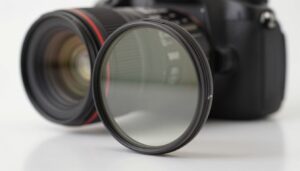
When sunlight is harsh, a small piece of glass can change everything in my aerial shots. Neutral density limits the amount of light entering the lens without shifting color. That lets me keep shutter speed low and capture natural motion.
I use filters to control exposure in bright lighting conditions and to reduce glare and reflections on water or glass. A polarizing element raises contrast and saturation, so images look richer straight from the camera.
Why this matters: balanced exposure keeps highlights and shadows readable. Smooth motion and correct shutter make cinematic videos rather than choppy clips. Every drone camera has limits, and a simple filter expands creative options.
| Condition | Effect | Typical Shot |
|---|---|---|
| Bright sun | Limits light, prevents blown highlights | Panoramic coastline |
| Water/Glass | Reduces glare and reflections | Low-altitude reveal |
| High contrast | Boosts color and contrast | City skyline |
- Tip: learn to use filters with manual exposure to get consistent results.
Why You Need the Best ND Filters for Drones
I focus on how shutter speed and light control shape the feel of a shot. When I match the shutter to the frame rate, footage looks natural and alive.
Motion Blur and Shutter Speed
I follow the 180-degree shutter rule. At 24fps, that means a shutter speed near 1/50 to get realistic motion blur.
Using a filter lets me slow the shutter without overexposure. This creates smooth cloud and water blur while keeping the drone steady.
Exposure Balance
Controlling the amount light hitting the sensor is key to exposure balance. In bright sun my camera tends to clip highlights, and a quality filter prevents overexposure.
- My routine: set shutter speed first, then use a filter to fine-tune light.
- Tip: try different shutter speeds to shape motion and mood.
| Issue | Why it Happens | How a Filter Helps |
|---|---|---|
| Jittery footage | Shutter too fast for frame rate | Allows slower shutter for smoother motion |
| Blown highlights | Too much light entering sensor | Reduces amount light to protect highlights |
| Flat look | Poor contrast from bright scenes | Improves exposure balance and saturation |
Key Differences Between Fixed and Variable Filter Options
I rely on predictable tools when I need repeatable exposure and stable motion in the air. That mindset shapes why I choose fixed neutral density pieces over adjustable ones for most aerial work.
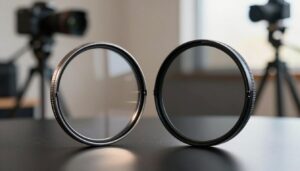
Fixed filters give consistent attenuation of light and keep shutter and exposure steady across a flight. They are compact, light, and made to match the wide-angle lens on many drone cameras.
Variable options aim for flexibility, but they can introduce vignetting and uneven exposure on wide lenses. I’ve seen halos and odd color shifts that added work in post.
When I’m out shooting photography from the air, reliability matters. A fixed filter stays put, balances easily on a gimbal, and prevents surprises mid-flight.
- Consistent results: fixed pieces keep motion blur and shutter speed predictable.
- Fewer artifacts: less risk of glare, vignetting, or uneven exposure with wide lenses.
- Practicality: lighter setup, simpler swaps, and less time fussing with settings while flying.
Evaluating Build Quality and Optical Performance
I start every purchase by checking how the piece is made and how it handles light. A well-made filter uses multi-coated optical glass to keep sharpness high and to prevent color shifts.
Low-quality materials often show as magenta or green casts in footage. Those casts are hard to remove in post and ruin a clean image.
Weight matters too. Heavy gear can affect the gimbal and change the camera’s balance mid-flight. I favor lightweight, durable designs that don’t stress the mount.
Avoiding Vignette and Color Shift
Vignetting is a common problem with poor designs. It darkens frame edges and steals dynamic range from highlights and shadows.
I test new accessories at multiple focal settings to spot any uneven light falloff. I also scan frames for subtle color casts before a flight.
- Multi-coated glass: highest priority for true color and sharpness.
- Lightweight build: protects gimbal performance and balance.
- Uniform transmission: prevents edge darkening and exposure drop-off.
| Feature | Why it Matters | What I Check |
|---|---|---|
| Coating | Preserves color and contrast | Multi-layer coatings, no tint |
| Weight | Impacts gimbal balance | Material choice, grams listed |
| Uniformity | Avoids vignette and exposure loss | Edge-to-edge sharpness tests |
Choosing the Right Filter Strength for Your Lighting Conditions
I decide filter strength by measuring the light and planning the shutter speed I need. Each stop on the scale halves the amount light entering the lens, so one change can shift exposure fast.
Use this simple guide: ND4 suits cloudy days, ND8 works near golden hour, ND16 is ideal for sunny afternoons, and nd32 or ND64 handles extremely bright conditions like snow or beach scenes.
- Keep a small kit: swap pieces on location to match changing lighting.
- Set shutter first: choose a shutter speed that gives pleasing motion blur, then fit the filter to hit proper exposure.
- Test before takeoff: confirm camera settings and exposure on quick hover shots.
| Lighting | Suggested Strength | Why |
|---|---|---|
| Cloudy | ND4 | Small reduction keeps detail without slowing speed too much |
| Golden hour | ND8 | Balances warm light and allows moderate shutter control |
| Sunny | ND16 | Makes it easy to match shutter to frame rate for smooth motion |
| Extremely bright | nd32 / ND64 | Prevents clipping and keeps consistent shutter in harsh scenes |
Practice these swaps and you’ll keep a steady shutter and consistent motion across changing conditions. Mastering this is the best way to make your aerial photography look cinematic.
Essential Tips for Using Polarizing ND Hybrid Filters
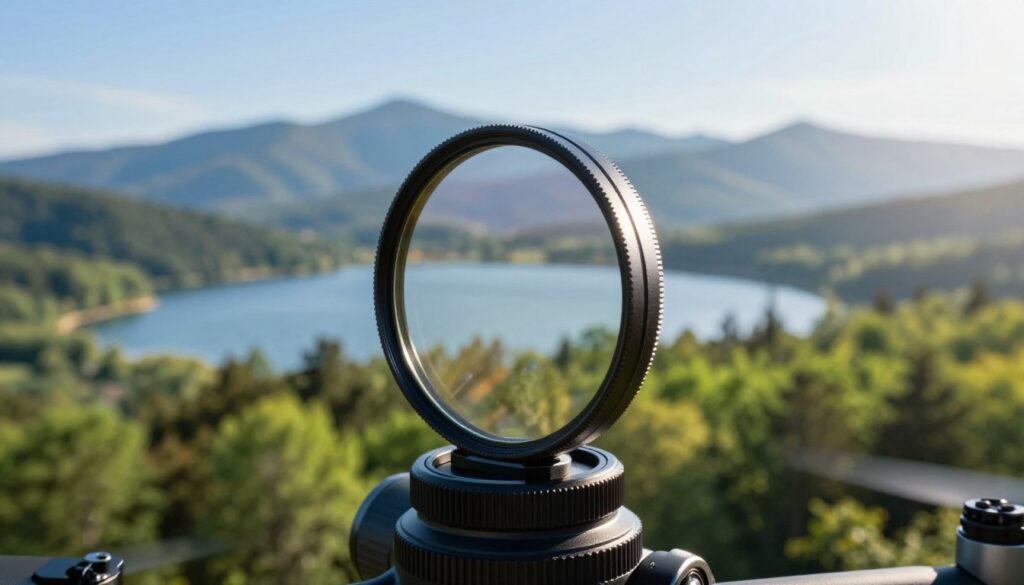
Polarizing ND hybrid pieces marry glare control with exposure reduction, and they change how I shoot over reflective scenes.
Managing Reflections
I love using polarizing ND hybrid filters because they help me reduce glare and reflections when I fly over water or glass.
Rotate the polarizer while watching the live feed until reflections drop and contrast improves. This step boosts color saturation and makes shots feel more dynamic.
Pre-Flight Calibration
Polarizers cannot be adjusted once airborne, so I always set the angle on the ground. I test the effect at different sun angles and note how it changes exposure and motion blur.
Check shutter and exposure after attaching the piece. Confirm that camera settings still match the speed you want, then lock everything in before takeoff.
- I plan shoots around the sun angle so the polarizing effect works at its peak.
- Prepare combos and swap on the ground to save time in changing conditions.
- Practice these steps and you’ll see cleaner highlights and stronger contrast in aerial shots.
Top Recommended Brands for Professional Drone Photography
A trusted name in optical glass makes a noticeable difference in my aerial shots. I pick brands that deliver consistent exposure and low color cast across varied lighting conditions.
Premium Cinema Options
PolarPro stands out with cinema-grade glass and high-end coatings. Their sets keep contrast and image sharp, and I count on them when I need cinema-level performance.
Reliable Mid-Range Choices
Fstop Labs offers solid glass with a hydrophobic layer that repels water and dust. That coating saves me time cleaning after flights over water or fog.
Budget-Friendly Alternatives
Neewer gives dependable pieces at a lower cost. Tiffen also delivers film-industry quality without excess weight on my gimbal.
| Brand | Key Strength | Why I Use It |
|---|---|---|
| PolarPro | Cinema-grade glass | High sharpness, low color shift |
| Fstop Labs | Hydrophobic coating | Repels water and dust on beach or wet-day shoots |
| Neewer | Value | Affordable, good enough for many lighting conditions |
| Tiffen | Trusted optics | Film-ready quality, stable color across cameras |
Tip: I keep a set that includes an nd32 strength to handle bright conditions and to match shutter speed to frame rate for smooth motion in my videos.
Mastering Manual Camera Settings for Cinematic Results
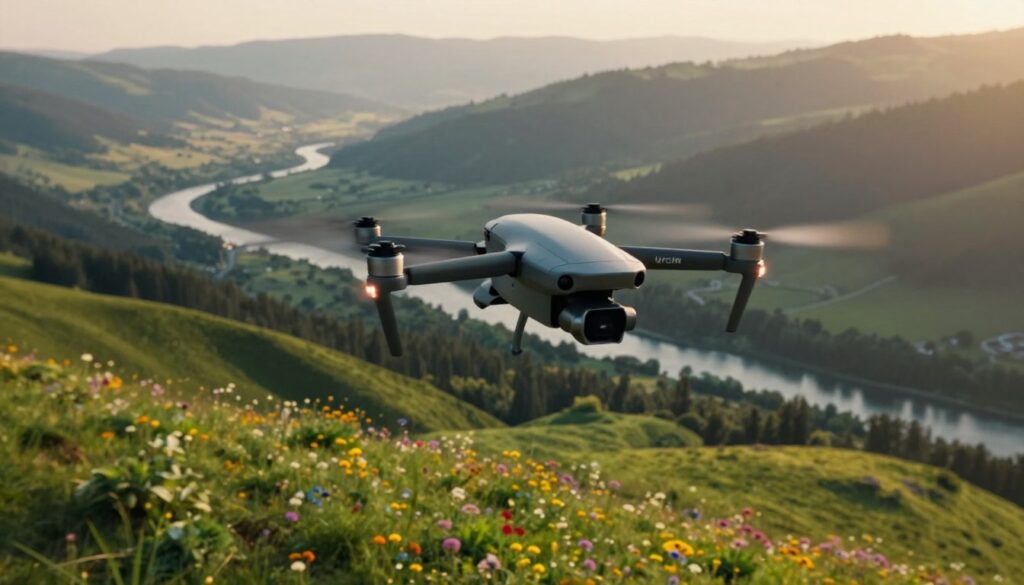
Manual video mode is the single change that turned my hobby clips into cinematic sequences. I switch my drone to manual before I launch so I control shutter speed and ISO.
I lock those settings on the ground to stop the camera from making surprise adjustments mid-flight. This keeps exposure steady and preserves the look I planned.
I follow the 180-degree shutter rule: set shutter speed to double the frame rate. That creates natural motion blur and smooth motion in aerial footage.
Using a filter helps when the sun is bright. It lets me keep my locked shutter and still avoid blown highlights.
- I always set shutter speed and ISO before takeoff to avoid auto changes.
- I monitor exposure during flight and adjust only when needed.
- I practice these settings on the ground until swapping a filter is quick and confident.
Mastering these controls improved the quality of my work more than any other tweak. It takes practice, but the results are clear in every clip I keep.
Common Pitfalls to Avoid When Using Lens Accessories
A single careless swap on the ground can lead to ruined footage or a damaged gimbal motor. I always power down my drone before I change a filter to protect the delicate gimbal and motors.
Using a neutral density piece that is too strong often produces underexposed images. Those dingy videos are hard to fix in post and lose dynamic range.
Pay close attention to shutter speed and exposure when you attach a piece. Match your shutter to the frame rate and then adjust the filter to keep motion and blur natural.
- Check model fit: use the right filter for your specific camera and drone to avoid balance issues.
- Avoid wrong strength: many pilots grab an nd16 filter when bright conditions need an nd32 instead.
- Watch glare: poorly matched pieces can add reflections and reduce contrast in water and glass shots.
- Pre-flight checklist: verify settings, light entering the lens, and gear before a day of drone photography.
Quick rule: shut down, mount carefully, confirm shutter speeds and exposure, then take a short hover test. That small routine saves time and preserves image quality on the sensor.
Final Thoughts on Elevating Your Drone Footage
Before you fly, set a clear routine that protects image quality and saves time in post. I start with power off, mount the piece, confirm balance, and lock my shutter speed. This short ritual keeps my kit steady and predictable on every flight.
I also test exposure on a quick hover. When I match shutter speed to frame rate, motion blur looks natural. I use filters sparingly and choose a single filter that fits the bright or dark conditions at hand.
Keep practicing camera moves and swapping pieces on the ground. This guide was written to help you lift your photography, make your shots consistent, and improve overall quality. Thank you for reading — I can’t wait to see what you capture with your next flight.
FAQ
What effect does a neutral density filter have on shutter speed and motion blur?
A neutral density filter reduces the amount of light hitting the sensor, letting me slow the shutter speed without overexposing the image. That slower shutter creates natural motion blur in moving subjects like propellers, cars, or water, which gives footage a cinematic feel. I typically match shutter speed to double my frame rate (180-degree rule) to keep motion smooth.
How do I choose the right filter strength for bright daylight?
I base the choice on light conditions and my target shutter speed. On bright, sunny days I reach for stronger stops like ND32 or ND16 to cut significant light and maintain slower shutter speeds. For partly cloudy or golden hour shoots I prefer ND8 or ND4. Adjust exposure with ISO and shutter speed as a secondary step.
Can I use a variable neutral density option on a drone camera?
Yes, I do use variable units sometimes because they offer flexibility across changing light. But they can introduce uneven exposure or color shift at extreme settings, and they may risk vignetting on wide-angle drone lenses. When I need absolute consistency and color neutrality, I switch to fixed-stop glass.
When should I combine a polarizer with a neutral density filter?
I combine a polarizer when reflections or glare from water, glass, or wet surfaces reduce contrast. A polarizing hybrid lets me control reflections while still cutting light. I rotate the polarizing layer before flight to dial in reflection reduction, then set exposure. Avoid excessive polarization near wide skies to prevent uneven darkening.
How do filters affect autofocus and exposure metering on drones?
Filters reduce incoming light, which can slow down autofocus in low-light situations and trick metering if I don’t compensate. I usually switch to manual exposure and focus for critical cinematic shots, or increase ISO slightly and use continuous autofocus for less critical captures.
What build and optical features should I look for in a filter to avoid vignette and color cast?
I look for thin, multicoated glass with low-reflective coatings and accurate color neutrality. A slim profile reduces vignette on wide-angle drone lenses. High-quality mounts and threads keep the element aligned to avoid uneven shading and color shifts.
How do I prevent reflections and flares when shooting over water or glass?
I use a polarizing hybrid, adjust the drone angle to change the reflection, and keep the filter clean and smudge-free. I also watch sun position; changing altitude or lateral position to alter the sun’s incidence can reduce unwanted flare.
Should I calibrate camera settings before each flight?
Absolutely. I perform a pre-flight calibration: set white balance, lock exposure where needed, verify shutter speed and ISO, and test a short clip to confirm the filter’s effect. That saves time and avoids unusable clips in post.
Which brands make reliable cinema-grade filter options for DJI cameras?
I trust brands like PolarPro, Tiffen, and Freewell for cinema-grade glass and coatings. They offer consistent color neutrality and durable construction suitable for professional aerial work.
Are there budget-friendly alternatives that still give good results?
Yes. Companies like K&F Concept and Neewer have more affordable pieces that work well for hobbyists. I recommend testing them thoroughly before a paid job, as cheaper options can vary in color cast and build quality.
How do I balance shutter speed, frame rate, and ISO for smooth video?
I usually set frame rate first (24 or 30 fps), then double that as my shutter speed (1/48 or 1/60) to follow the 180-degree rule. I then dial ISO to the lowest native value that preserves exposure and use a filter to control light. If needed, I nudge shutter speed for creative blur but watch for judder.
What common mistakes should I avoid when using lens accessories on a drone?
I avoid over-filtering (too dark for the scene), relying on variable filters at extremes, and failing to clean elements before flight. I also watch for added weight or imbalance on compact gimbals, and I never leave a filter loosely threaded, which risks falling off mid-flight.
How do different lighting conditions change my filter choice?
Bright midday sun often needs stronger attenuation like ND32; hazy or overcast conditions require milder stops like ND4 or none at all. Golden hour usually calls for minimal filtering so I preserve dynamic range and color warmth.
Can filters harm my drone camera sensor or image stabilization?
Properly made glass filters won’t harm the sensor. However, heavy or poorly balanced attachments can affect gimbal performance and stabilization. I use lightweight, well-matched mounts and test gimbal behavior after fitting any accessory.