ND filter names can look confusing because manufacturers may describe the same strength using stops, a filter factor, or optical density. An ND8 filter, for example, is normally a three-stop filter—not an eight-stop filter.
Once the three naming systems are separated, the numbers become much easier to understand. This guide explains the progression from ND2 through ND1000, shows how each strength affects exposure, and provides a practical way to calculate new shutter speeds without relying on guesswork.
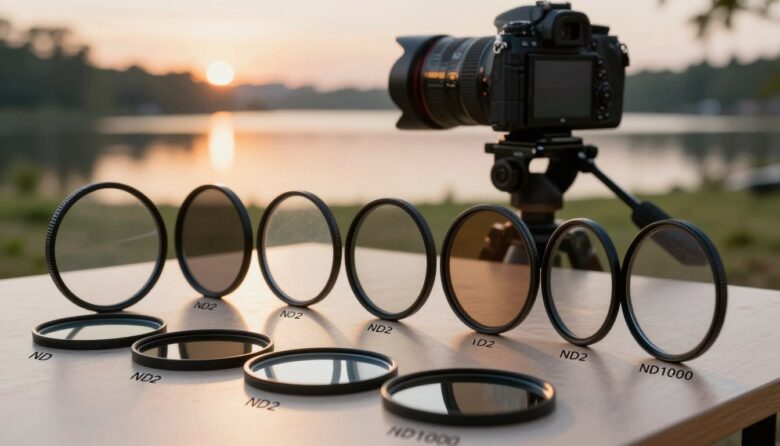
Remember this pattern: ND2 equals one stop, ND4 equals two stops, ND8 equals three stops, ND64 equals six stops, and ND1000 is approximately ten stops.
Every additional stop halves the light reaching the sensor and doubles the exposure time required when aperture and ISO remain unchanged.
The most intuitive way to describe exposure reduction.
Shows how many times longer the equivalent exposure becomes.
A logarithmic notation common in professional photo and cinema filters.
What Is an Exposure Stop?
One stop represents a doubling or halving of light. Adding one stop of ND reduces the light to one-half. Adding another stop reduces the remaining light by half again, leaving one-quarter of the original amount.
The sequence continues as powers of two:
- 1 stop transmits 1/2 of the original light.
- 2 stops transmit 1/4.
- 3 stops transmit 1/8.
- 6 stops transmit 1/64.
- 10 stops transmit approximately 1/1,024.
The word “stop” is not limited to aperture. Shutter speed, ISO, lens aperture, flash power, and ND filtration can all be described in exposure stops.
Complete ND2 to ND1000 Conversion Chart
| Common factor label | Light reduction | Optical density | Light transmitted | Exposure-time multiplier |
|---|---|---|---|---|
| ND2 | 1 stop | ND 0.3 | 50% | 2× |
| ND4 | 2 stops | ND 0.6 | 25% | 4× |
| ND8 | 3 stops | ND 0.9 | 12.5% | 8× |
| ND16 | 4 stops | ND 1.2 | 6.25% | 16× |
| ND32 | 5 stops | ND 1.5 | 3.125% | 32× |
| ND64 | 6 stops | ND 1.8 | 1.5625% | 64× |
| ND128 | 7 stops | ND 2.1 | 0.781% | 128× |
| ND256 | 8 stops | ND 2.4 | 0.391% | 256× |
| ND512 | 9 stops | ND 2.7 | 0.195% | 512× |
| ND1000 or ND1024 | Approximately 10 stops | ND 3.0 | Approximately 0.1% | Approximately 1,000× or 1,024× |
ND8 does not mean eight stops. In filter-factor notation, ND8 means that the exposure time is multiplied by eight, which corresponds to three stops of light reduction.
Why ND1000 and ND1024 Both Mean About Ten Stops
The mathematically exact factor for ten stops is 1,024 because each stop doubles the multiplier:
2 × 2 × 2 × 2 × 2 × 2 × 2 × 2 × 2 × 2 = 1,024.
Many photographic products use the rounded name ND1000 because it is easier to print, recognize, and market. In ordinary photography, both labels are treated as approximately ten stops.
The practical difference between a factor of 1,000 and 1,024 is only a small fraction of one stop. Changing natural light, small manufacturing tolerances, and metering differences are usually more significant.
Use the filter’s stated stop rating as your starting point, then confirm the real exposure with the histogram.
Why Filter Labels Can Be Confusing
The letters “ND” may be followed by a filter factor, an optical-density value, or a brand-specific abbreviation. The decimal point is especially important.
| Example label | Likely meaning | Equivalent reduction |
|---|---|---|
| ND8 | Filter factor of 8× | 3 stops |
| ND 0.9 | Optical density of 0.9 | 3 stops |
| ND64 | Filter factor of 64× | 6 stops |
| ND 1.8 | Optical density of 1.8 | 6 stops |
| ND1000 | Approximate filter factor of 1,000× | Approximately 10 stops |
| ND 3.0 | Optical density of 3.0 | 10 stops |
Do not rely on a number without reading the product specification. A label written as “ND3” may be interpreted differently from “ND 3.0” or “ND8,” depending on the manufacturer and market.
How to Calculate Shutter Speed
Start by finding the correct exposure without the ND filter. Keep aperture and ISO unchanged, then multiply the original shutter time by the filter factor.
Multiply the exposure time by 8. The result is approximately 1/8 second.
Multiply by 64. The result is approximately 1/4 second.
Multiply by approximately 1,000–1,024. The result is approximately 8 seconds.
The filtered exposure is approximately 33–34 seconds.
Practical Shutter-Speed Reference
| Base shutter speed | ND2 1 stop |
ND4 2 stops |
ND8 3 stops |
ND64 6 stops |
ND1000 about 10 stops |
|---|---|---|---|---|---|
| 1/1,000 second | 1/500 | 1/250 | 1/125 | About 1/15 | About 1 second |
| 1/500 second | 1/250 | 1/125 | 1/60 | About 1/8 | About 2 seconds |
| 1/250 second | 1/125 | 1/60 | 1/30 | About 1/4 | About 4 seconds |
| 1/125 second | 1/60 | 1/30 | 1/15 | About 1/2 | About 8 seconds |
| 1/60 second | 1/30 | 1/15 | About 1/8 | About 1 second | About 17 seconds |
| 1/30 second | 1/15 | About 1/8 | About 1/4 | About 2 seconds | About 34 seconds |
| 1/15 second | About 1/8 | About 1/4 | About 1/2 | About 4 seconds | About 68 seconds |
| 1/8 second | 1/4 | 1/2 | 1 second | 8 seconds | About 2 minutes 8 seconds |
Camera shutter values are commonly rounded to standard settings. Treat the table as a starting point and adjust after reviewing the histogram, highlight warnings, and actual motion effect.
Counting Stops Without a Calculator
You can calculate the new shutter speed by doubling the exposure once for every stop of ND.
Starting from 1/250 second with a six-stop filter:
- One stop: 1/250 becomes 1/125 second.
- Two stops: 1/125 becomes 1/60 second.
- Three stops: 1/60 becomes approximately 1/30 second.
- Four stops: 1/30 becomes approximately 1/15 second.
- Five stops: 1/15 becomes approximately 1/8 second.
- Six stops: 1/8 becomes approximately 1/4 second.
This method is often faster in the field than trying to remember every filter factor.
Which ND Strength Should You Use?
One to Two Stops
Useful for small exposure adjustments, bright-aperture photography in moderate light, flash balancing, or fine video exposure control.
Three Stops
A versatile strength for portraits, video, waterfalls, streams, and moderate daylight motion effects.
Four to Five Stops
Useful in brighter conditions when a wide aperture, normal flash sync, or slower video shutter must be maintained.
Six Stops
A practical long-exposure filter for water and cloud movement without immediately creating the very long times associated with ten stops.
Eight to Nine Stops
Suitable for stronger daylight motion effects and exposures approaching the look of a traditional ten-stop filter.
Approximately Ten Stops
Intended for dramatic daylight long exposures involving smooth water, moving clouds, fading pedestrians, and simplified city or landscape scenes.
Select the shutter effect first, then choose the filter strength. A stronger filter is not automatically more creative or more professional.
How ND Stops Work for Video
Video creators commonly select frame rate, shutter speed, aperture, and ISO before using ND to control brightness. The filter prevents bright outdoor conditions from forcing an unwanted shutter speed or smaller aperture.
A practical sequence is:
- Select the frame rate. Choose it according to delivery and motion requirements.
- Set the desired shutter speed. Decide how motion should look before controlling exposure.
- Select aperture and ISO. Establish depth of field and the camera’s appropriate sensitivity.
- Add the required ND strength. Increase filtration until exposure falls into the intended range.
- Verify with exposure tools. Use zebras, waveform, histogram, or highlight warnings rather than relying only on screen brightness.
A variable filter labeled ND2–ND32 normally covers a factor range from 2× to 32×, which corresponds to approximately one through five stops. Confirm the manufacturer’s specification because labeling conventions can vary.
Adding ND Filters Together
When compatible fixed ND filters are stacked, their stop values and optical-density values are added. Their filter factors are multiplied.
An ND8 combined with an ND64 produces approximately nine stops of total reduction.
The combined filter factor is ND512.
The combined optical density is ND 2.7.
Only about one part in 512 of the original light reaches the sensor.
Stacking can add vignetting, reflections, flare, color shifts, and stuck filter rings. One filter with the required strength is usually simpler than several filters combined.
Solid, Graduated, and Variable ND Stops
Solid Fixed ND
Provides one stated density across the entire filter. It is useful for repeatable exposure calculations and long-exposure photography.
Graduated ND
Transitions from a stated maximum density to clear. A three-stop graduated filter does not reduce the entire image by three stops.
Variable ND
Provides a range of densities through a rotating mechanism. It is useful for video and changing light but should be tested for uneven polarization.
IRND
Combines visible-light reduction with infrared attenuation. This can be useful when strong ND filtration causes discoloration in dark materials on selected cameras.
A Reliable Exposure Workflow
- Compose without a strong filter. Framing and checking the edges are easier before a dark ND is installed.
- Choose aperture and ISO. Select them for depth of field, image quality, and the camera’s intended operating range.
- Focus and take a reference image. Confirm sharpness and exposure before attaching a strong filter.
- Record the base shutter speed. Keep aperture and ISO unchanged during the conversion.
- Identify the true stop rating. Read the specification rather than guessing from an ambiguous label.
- Calculate the new shutter time. Multiply the base time by the factor or double it once for every stop.
- Attach the filter carefully. Avoid changing focus, zoom position, or composition.
- Use a timer or remote for long exposures. Prevent movement caused by pressing the shutter button.
- Review the first result. Check the histogram, highlights, corners, color, focus, vibration, and motion rendering.
- Adjust from the real image. The calculated time is a starting point, not a guarantee.
Why the Real Exposure May Differ
Common Mistakes
Quick Field Checklist
Frequently Asked Questions
Is ND2 a two-stop filter?
No. ND2 normally represents a filter factor of two, which equals one stop of light reduction.
How many stops is ND4?
ND4 is normally a two-stop filter. It transmits one-quarter of the original light and multiplies exposure time by four.
How many stops is ND8?
ND8 normally reduces light by three stops. It transmits one-eighth of the original light.
How many stops is ND64?
ND64 is a six-stop filter. It multiplies the equivalent exposure time by 64.
Is ND1000 exactly ten stops?
It is treated as approximately ten stops. The exact mathematical factor for ten stops is 1,024, but ND1000 is a widely used rounded product label.
What does ND 3.0 mean?
ND 3.0 is an optical-density rating corresponding to ten stops of light reduction.
Why is ND 0.9 equal to three stops?
Optical density increases by approximately 0.3 for every stop. Three stops therefore correspond to approximately 0.9.
How do I calculate exposure without a chart?
Double the exposure time once for every stop. For six stops, double it six times. For ten stops, double it ten times.
Can I adjust aperture instead of shutter speed?
Yes, exposure can be compensated with aperture, shutter speed, or ISO. For long-exposure photography, shutter speed is normally changed because the purpose of the filter is often to alter motion while preserving the selected aperture and ISO.
Do two three-stop filters create six stops?
Yes. Their stop values add to six. Their factors multiply: 8 × 8 equals 64, producing the equivalent of ND64.
Does a three-stop graduated ND reduce the entire exposure by three stops?
No. Three stops describes the darkest portion of the graduated filter. The density fades toward the clear area.
What does ND2–ND32 mean on a variable filter?
It commonly describes an adjustable factor range from 2× to 32×, equivalent to approximately one through five stops. Confirm the manufacturer’s stated range.
Which strength is best for waterfalls?
There is no universal strength. A three-stop filter may preserve texture, while six or ten stops can produce much longer exposures. The correct choice depends on ambient light, water speed, and the desired effect.
Which strength is best for video?
Moderate adjustable ranges such as two through five stops cover many outdoor situations. Strong sunlight, high base ISO, or very wide apertures may require greater density.
Why is my filtered image not exposed exactly as calculated?
The real filter density, changing light, metering, rounded shutter settings, and stacked accessories can all create small differences. Use the calculation as a starting point and verify the result.
Final Recommendation
The easiest way to understand ND filters is to think in stops first.
Each stop halves the light and doubles the required exposure time. ND2 equals one stop, ND4 equals two, ND8 equals three, ND64 equals six, and ND1000 is approximately ten.
Before an important photograph or video, confirm which numbering system the manufacturer uses, calculate from an unfiltered reference exposure, and review the first filtered result instead of trusting the printed label alone.

The OptiFilter Labs Editorial Team creates practical, carefully researched content about ND filters, camera accessories, exposure control, photography techniques, and video production. Our goal is to help photographers and filmmakers understand their equipment, solve common problems, and make more informed purchasing decisions.