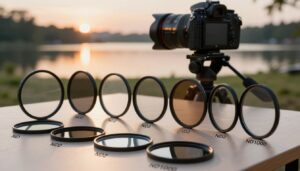
A 10-stop neutral density filter makes it possible to use dramatically longer shutter speeds in daylight. Moving water can become smooth, clouds can form directional streaks, passing people may fade from a city scene, and moving traffic can turn into soft visual traces.
The filter does not create a professional image by itself. Strong long-exposure photographs depend on composition, stable support, accurate focus, controlled light, careful exposure calculation, and a shutter duration that matches the movement in the scene.
A 10-stop ND filter transmits approximately 1/1,024 of the original light. To estimate the filtered exposure, multiply the unfiltered shutter time by about 1,024.
A base exposure of 1/125 second becomes approximately 8 seconds. A base exposure of 1/30 second becomes approximately 34 seconds.
What Does a 10-Stop ND Filter Do?
A neutral density filter reduces the amount of light entering the lens. A 10-stop filter reduces it by ten exposure stops, allowing the shutter to remain open much longer without automatically overexposing the photograph.
Ten stops may also be labeled in several ways:
- 10 stops — the direct exposure reduction
- ND1000 or ND1024 — the approximate filter factor
- ND 3.0 — the optical-density notation commonly associated with ten stops
Product labels are not always presented consistently, so confirm the actual stop reduction before calculating exposure.
The filter changes light, not composition. A longer shutter can simplify motion, but the photograph still needs a clear subject, intentional framing, and stable elements that remain visually sharp.
When a 10-Stop Filter Is the Right Choice
Seascapes and Waterfalls
Long shutter speeds can soften waves, blend foam into patterns, or turn moving water into a smooth surface around stationary rocks and structures.
Moving Clouds
Exposures lasting tens of seconds or several minutes can turn cloud movement into directional lines that support the composition.
Busy Public Spaces
People who move through the scene may appear blurred, translucent, or nearly absent, helping a stationary building become more prominent.
Fine-Art Landscapes
Smooth water and softened skies can reduce distracting detail and create a simpler relationship between stationary and moving elements.
Traffic and Transportation
Moving vehicles can form soft trails or disappear from selected areas, depending on their speed, density, and total exposure time.
Daylight Motion Studies
The filter allows photographers to experiment with movement during hours when an unfiltered exposure would otherwise be too short.
When Ten Stops May Be Too Strong
A 10-stop ND is not the correct filter for every long exposure. Near sunrise, sunset, blue hour, or beneath dense cloud cover, ten stops can produce an exposure lasting many minutes.
A lighter filter may be more practical when:
- You want visible water texture instead of a completely smooth surface.
- The natural light is already low.
- Clouds or vegetation are moving so quickly that a very long exposure removes too much structure.
- The scene contains subjects that cannot remain still.
- The light is changing rapidly near sunrise or sunset.
- You need to capture several compositions in a limited period.
- A 3-stop or 6-stop filter already provides the required shutter speed.
Choose the shutter effect first and the filter strength second. Do not use ten stops simply because it is the strongest filter in the bag.
Exposure Conversion Table
The following table provides approximate starting points. Real results may vary slightly because the filter’s actual density, changing natural light, camera metering, and transmission through the complete optical system can affect exposure.
| Unfiltered shutter speed | Approximate time with 10-stop ND | Practical camera setting |
|---|---|---|
| 1/4,000 second | 0.26 second | Approximately 1/4 second |
| 1/2,000 second | 0.51 second | Approximately 1/2 second |
| 1/1,000 second | 1.02 seconds | Approximately 1 second |
| 1/500 second | 2.05 seconds | Approximately 2 seconds |
| 1/250 second | 4.10 seconds | Approximately 4 seconds |
| 1/125 second | 8.19 seconds | Approximately 8 seconds |
| 1/60 second | 17.1 seconds | Approximately 17 seconds |
| 1/30 second | 34.1 seconds | Bulb or extended shutter mode may be required |
| 1/15 second | 68.3 seconds | About 1 minute 8 seconds |
| 1/8 second | 128 seconds | About 2 minutes 8 seconds |
| 1/4 second | 256 seconds | About 4 minutes 16 seconds |
| 1/2 second | 512 seconds | About 8 minutes 32 seconds |
Do not rely on the table without checking the histogram. Natural light can change during a long exposure, and some filters may transmit slightly more or less light than their nominal rating suggests.
Essential Equipment
Stable Tripod
The tripod must support the complete camera-and-lens combination without drifting. Extend the thickest leg sections first and avoid raising the center column unnecessarily.
Remote Release or Timer
A wired remote, wireless remote, camera application, or self-timer can reduce movement caused by pressing the shutter button.
10-Stop ND Filter
Use a correctly sized screw-in filter or a holder system that seals properly against stray light.
Exposure Calculator
A printed table, phone calculator, or dedicated application can convert the unfiltered shutter speed into a starting exposure.
Blower and Optical Cloth
Fingerprints, droplets, and haze can reduce contrast or increase flare during strong backlighting.
Dark Cloth or Shade
A dark cloth or flag can help shade the filter holder and reduce light entering through gaps during very long exposures.
Complete Long-Exposure Workflow
- Study the movement before setting up. Watch the direction and speed of waves, clouds, people, traffic, trees, and grass. Decide which elements should blur and which must remain sharp.
- Position the tripod securely. Spread the legs fully, use firm ground, and keep the center column low. On sand, mud, or moving water, confirm that the feet are not sinking.
- Remove unnecessary movement sources. Secure the camera strap, avoid touching the tripod, and keep loose cables from moving in the wind.
- Compose without the filter. The scene is much easier to see before a 10-stop filter is attached. Check the horizon, corners, edges, and foreground carefully.
- Set the desired aperture and ISO. Use an appropriate base or low ISO and choose the aperture for depth of field and lens performance rather than automatically selecting the smallest available opening.
- Focus before attaching the filter. Use autofocus or manual focus while the scene remains bright, then switch to manual focus or use another method to prevent the camera from refocusing.
- Take an unfiltered reference photograph. Confirm focus, composition, highlight detail, shadow detail, and overall sharpness before beginning the long exposure.
- Record the base shutter speed. Keep aperture and ISO unchanged. This shutter time will be multiplied by approximately 1,024.
- Attach the 10-stop filter carefully. Avoid changing focus, zoom position, or composition. With square systems, install the filter in the recommended position and seal the gasket against the holder.
- Set the calculated shutter time. Use Manual mode, Bulb mode, Time mode, or another extended-exposure option supported by the camera.
- Trigger the camera without touching it. Use a remote, application, or self-timer. DSLR users should follow the camera instructions for mirror lockup and viewfinder covering when relevant.
- Review the first filtered frame. Check the histogram, highlights, shadows, corners, sharp stationary objects, color, flare, and unwanted light leaks.
- Adjust the exposure deliberately. Double the time to add one stop or halve it to subtract one stop. Smaller changes can be made in half-stop or one-third-stop increments.
- Try more than one shutter duration. Movement rarely has only one correct rendering. Compare a shorter exposure with a longer one before leaving the location.
Choosing Aperture and ISO
ISO
Start with the camera’s appropriate base or low ISO when image quality and highlight range are priorities. This is not always ISO 100; the optimal setting depends on the camera and recording mode.
Raising ISO makes the filtered exposure shorter. This can be useful for a test frame, but it may change noise, highlight range, and color performance.
Aperture
Apertures around f/8 or f/11 are common starting points for landscapes because many lenses provide strong overall performance in that range. The correct setting depends on the lens, focal length, subject distance, and desired depth of field.
Avoid automatically using f/16 or f/22 only to make the exposure longer. Very small apertures can reduce fine detail through diffraction. The ND filter should provide most of the light reduction.
Use aperture for depth of field and lens performance, not as a substitute for filter strength. Change ND density or shutter time when the exposure needs to be extended substantially.
Using Bulb or Time Mode
Many cameras require Bulb, Time, or another extended-shutter setting when the calculated exposure exceeds the longest standard shutter time available in the menu.
Shutter Remains Open While Activated
A remote with a lock or timer is useful because holding the camera’s shutter button can cause movement.
Separate Start and Stop Actions
On supported cameras, one action begins the exposure and another ends it, reducing the need to hold a button continuously.
Programmed Long Exposure
Some cameras allow long shutter times to be selected directly without using a traditional Bulb release.
Camera Application
A compatible manufacturer application may start, stop, or time the exposure without touching the camera.
Camera controls differ, so confirm the exact method in the manual before working in darkness, cold weather, rain, or moving water.
How Shutter Speed Changes Motion
There is no universal shutter speed for water or clouds. The result depends on movement speed, distance, focal length, direction, and how much texture you want to preserve.
| Approximate exposure range | Possible visual effect | Good subjects to test |
|---|---|---|
| 1/2 to 2 seconds | Visible motion with substantial texture remaining | Waterfalls, streams, waves, fountains |
| 2 to 10 seconds | Smoother water and more connected motion trails | Rivers, rocky shorelines, moving pedestrians |
| 10 to 30 seconds | Softened surf, ghosted people, early cloud movement | Seascapes, plazas, architecture |
| 30 seconds to 2 minutes | Strong smoothing and visible cloud direction | Coastlines, lakes, moving skies, city scenes |
| 2 minutes or longer | Minimal surfaces, long cloud trails, moving subjects fading substantially | Fine-art seascapes, architectural minimalism |
Bracket time, not only brightness. Two correctly exposed photographs made at 8 seconds and 60 seconds can communicate completely different moods.
Focusing with a Dark ND Filter
Modern cameras may still focus or display a usable live image through some 10-stop filters in strong light. Performance varies by camera, lens, filter, subject contrast, and ambient brightness.
The most reliable general workflow is:
- Compose and focus before installing the filter.
- Magnify the live-view image to confirm fine detail.
- Switch to manual focus or use another focus-lock method.
- Avoid touching the focus or zoom ring while mounting the filter.
- Inspect a stationary subject at high magnification after the first exposure.
Do not assume that infinity is automatically correct. Foreground elements, lens behavior, and required depth of field may place the best focus position somewhere else.
Preventing Camera Shake
Preventing Light Leaks
Light leaks may appear as bright streaks, colored patches, reduced contrast, or haze rather than simple overexposure.
- Place a square ND filter in the holder position recommended by its manufacturer.
- Make sure the filter gasket forms a complete seal against the holder.
- Shade the side of the filter from strong sunlight.
- Remove gaps created by incorrectly installed adapters or holder parts.
- On applicable DSLRs, cover the optical viewfinder during long exposures when recommended.
- Keep reflective phone screens, flashlights, and bright clothing away from the rear of the camera.
Test light leaks before a multi-minute exposure. A 20- or 30-second test under similar light can reveal many sealing problems without wasting several minutes.
Color Cast and White Balance
Some 10-stop filters introduce a warm, cool, green, or magenta shift. Glass construction alone does not guarantee neutral color; coatings, density consistency, infrared behavior, lighting, and the camera sensor all influence the result.
A dependable workflow includes:
- Shooting RAW when possible
- Using fixed or custom white balance instead of Auto during comparisons
- Capturing a gray-card reference with the filter attached
- Comparing filtered and unfiltered files at similar brightness
- Checking dark fabrics for possible infrared contamination
- Creating a correction preset only after confirming repeatable behavior
A mild and uniform cast is usually easier to correct than a shift that changes across the frame.
Using Graduated ND Filters with a 10-Stop ND
A solid 10-stop ND darkens the entire frame equally. It does not automatically balance a bright sky against a darker foreground.
When the sky exceeds the camera’s usable highlight range, possible solutions include:
- Adding a compatible graduated ND filter
- Waiting for softer or more balanced light
- Changing the composition
- Capturing bracketed exposures for a careful blend
- Recovering moderate highlight differences from a properly exposed RAW file
A stronger solid ND does not fix an unbalanced scene. It reduces the sky and foreground by the same number of stops.
Should You Stack ND Filters?
Combining filters can create a stronger total density, but stacking adds optical surfaces and physical thickness.
Possible problems include:
- Mechanical vignetting on wide-angle lenses
- Additional reflections and flare
- Greater color shift
- Reduced contrast
- More difficult light sealing
- Filters or adapter rings becoming stuck together
When extremely long exposures are a regular requirement, one purpose-built stronger filter may be more practical than repeatedly stacking several filters.
Long-Exposure Noise and Battery Use
Very long exposures can produce more visible thermal noise or hot pixels, particularly in warm conditions. The camera’s long-exposure noise-reduction feature may capture a second dark frame of similar duration after the original photograph.
This can improve selected noise patterns, but it also makes the camera unavailable during the additional processing time. Before using it, consider:
- How rapidly the light is changing
- Whether another composition must be captured immediately
- Available battery capacity
- Ambient temperature
- Whether dark-frame correction will be handled later
Begin with a fully charged battery. Long exposures, live view, wireless control, image review, and in-camera noise reduction can consume more power than ordinary single-frame photography.
Changing Light During the Exposure
Sunrise, sunset, moving clouds, and changing weather can alter brightness while the shutter remains open. A calculation based on the beginning of the exposure may therefore produce a result that is brighter or darker than expected.
During changing light:
- Recalculate the exposure before every important frame.
- Use shorter exposures when the brightness is changing rapidly.
- Review the histogram rather than copying the previous shutter time.
- Capture the most important composition before experimenting with extremely long durations.
- Expect decreasing light near sunset to require longer exposure than the original calculation.
- Expect increasing light near sunrise to produce a brighter final frame.
Field Safety for Seascapes and Rivers
Common Mistakes
Pre-Exposure Checklist
Frequently Asked Questions
How much light does a 10-stop ND filter block?
It reduces the exposure by ten stops, transmitting approximately 1/1,024 of the original light. The exact transmission may vary slightly between products.
How do I calculate the new shutter speed?
Multiply the unfiltered shutter time by approximately 1,024. For example, 1/125 second becomes about 8 seconds, while 1/30 second becomes about 34 seconds.
Do I need Manual mode?
Manual exposure provides predictable control, especially when the filtered time exceeds the camera’s automatic metering range. Some cameras also offer dedicated Bulb, Time, or long-exposure timer functions.
Should I focus before attaching the filter?
Yes, this is the most reliable general method. Focus while the scene is bright, confirm the result under magnification, and then prevent the camera from changing focus.
Is a remote shutter release mandatory?
No. A self-timer, wireless application, or built-in exposure timer may also prevent movement. A locking or timed remote is especially convenient for Bulb exposures.
What aperture should I use?
Choose the aperture required for depth of field and lens performance. Settings around f/8 or f/11 are common starting points, but the ideal value depends on the lens and scene.
Should image stabilization be turned off?
Follow the instructions for the specific camera and lens. Some systems detect tripod use automatically, while others may perform better with stabilization disabled during a locked long exposure.
Why is my long exposure still blurry?
Possible causes include incorrect focus, tripod movement, wind, unstable ground, an unsecured strap, stabilization behavior, touching the camera, or movement in subjects that were expected to remain sharp.
Why is the image brighter or darker than the calculated exposure?
The filter may differ slightly from its nominal rating, natural light may have changed, or the unfiltered meter reading may not have protected important highlights. Use the calculation as a starting point and confirm the result with the histogram.
Can a 10-stop ND be used at sunset?
Yes, but exposure times may become extremely long as light falls. A 3-stop or 6-stop filter may provide more practical control when the desired effect does not require several minutes.
Why does my photograph have a colored streak or bright patch?
Stray light may be entering around the filter holder, DSLR viewfinder, or another gap. Flare from direct light can produce similar symptoms. Inspect the holder seal and shade the setup.
Can I stack a 10-stop and 6-stop filter?
It is possible with compatible equipment, but the 16-stop combination can create extremely long exposures and increase the risk of flare, color shift, vignetting, and light leaks.
Does a 10-stop filter automatically create smooth water?
No. The result depends on the final shutter speed and how the water moves. Slow water may need more time, while fast surf may become smooth in only a few seconds.
Is a glass filter always better than a resin filter?
Material alone does not determine the complete result. Optical flatness, density consistency, coatings, durability, color behavior, handling, and manufacturing quality all matter.
Can the filter prevent blown highlights?
It allows a longer shutter by reducing the entire exposure, but it does not independently protect a bright sky. Correct metering, RAW capture, graduated filtration, bracketing, or softer light may still be necessary.
Final Recommendation
A 10-stop ND filter is most effective when it is treated as a precise exposure tool rather than an automatic special effect.
Begin without the filter, establish a strong composition, lock focus, take a reference image, and calculate the filtered shutter time from a reliable base exposure. Once the filter is attached, control vibration and stray light, review the histogram, and experiment with more than one duration.
The strongest result is not necessarily the longest exposure. Choose the shutter time that preserves the right balance between stationary detail and intentional movement for the scene in front of the camera.

The OptiFilter Labs Editorial Team creates practical, carefully researched content about ND filters, camera accessories, exposure control, photography techniques, and video production. Our goal is to help photographers and filmmakers understand their equipment, solve common problems, and make more informed purchasing decisions.